
How to Sign In to the Application: Step-by-Step Guide
Updated:
Follow these steps to successfully sign in to the application:
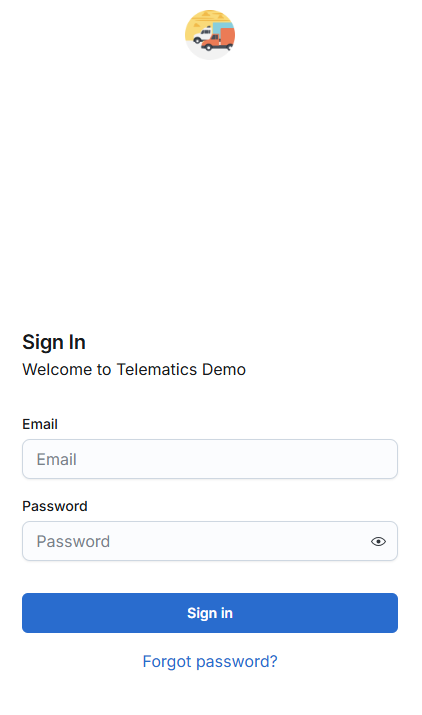
Access the Sign-in Page
- Open a web browser on your computer or mobile device.
- Navigate to the application's sign-in page at [platformurl].
Enter Your Credentials
- Email: Enter your registered email address in the "Email" field.
- Password: Enter your password in the "Password" field. By default, the password will be masked for security purposes. To view the entered password, click the "Show/Hide" icon next to the password field.

Sign In
- Click the Sign In button to proceed.
Review the Sign-In Status
- If your credentials are correct, you will be authenticated and redirected to the main page of the application.
- If the email or password is missing, you will see the message: "Please enter your login details."
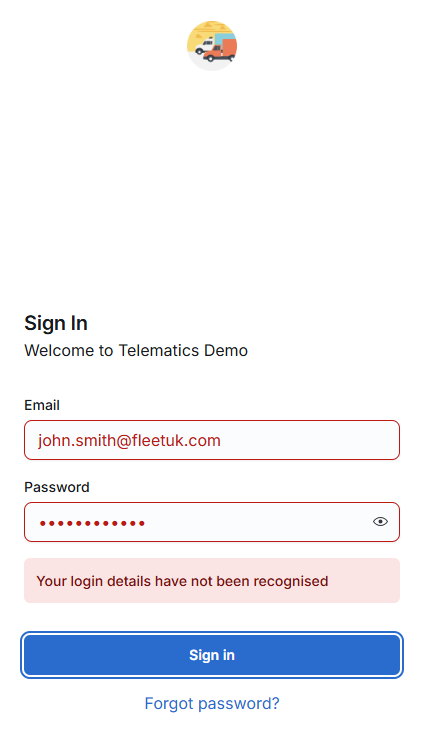
- If the credentials are invalid, you will see the message: "Your login details have not been recognised."
For further assistance, please contact our support team.
